
ADHD Budget Planner – App
Original price was: 30.00$.15.00$Current price is: 15.00$.
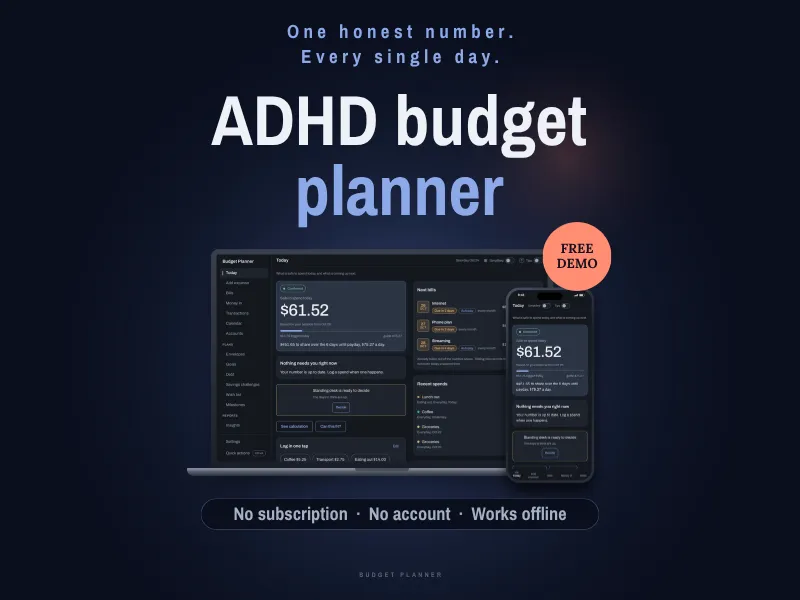
Organize your finances with the ADHD budget planning app. Track your expenses easily, no subscription required!
ADHD budget planner and budget tracker for your computer, tablet or phone. One number shows what is safe to spend today, with your bills, paydays and savings already counted. Track bills, expenses, debt payoff, savings goals and envelopes in one digital planner that works offline, with no account and no subscription.
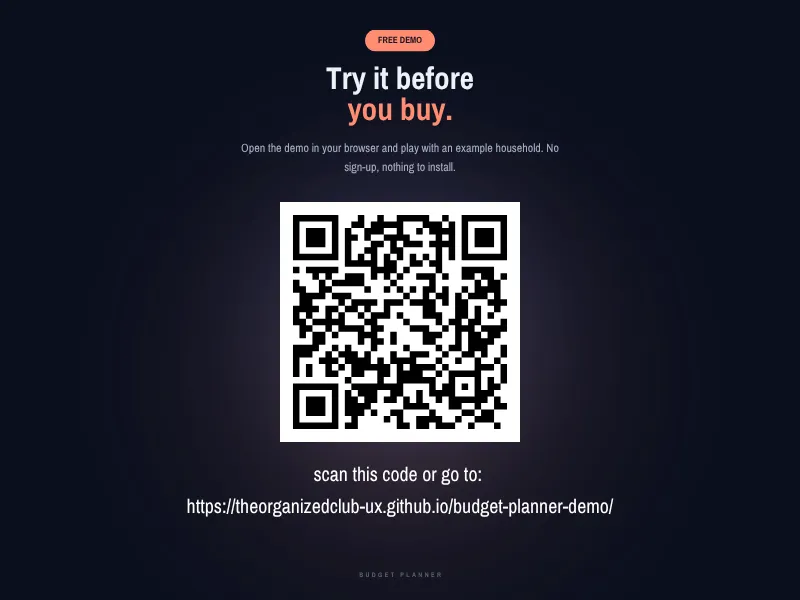
🎁 TRY IT FREE BEFORE YOU BUY
Open the free demo in your browser and click around a full example household: https://theorganizedclub-ux.github.io/budget-planner-demo/
The demo is the real planner with example numbers. Change anything you like. It resets when you close or reload the page, so it can't hold your own budget. That part is the full version.
📌 WHAT THIS IS
A budget planner you open in your web browser. It is one file you download, keep, and open like a document. No app store, no sign-up, no internet needed once it's on your device.
It does not connect to your bank. You type in your balance when you want your number to be exact, and the planner does the rest of the math.
💵 YOUR NUMBER FOR TODAY
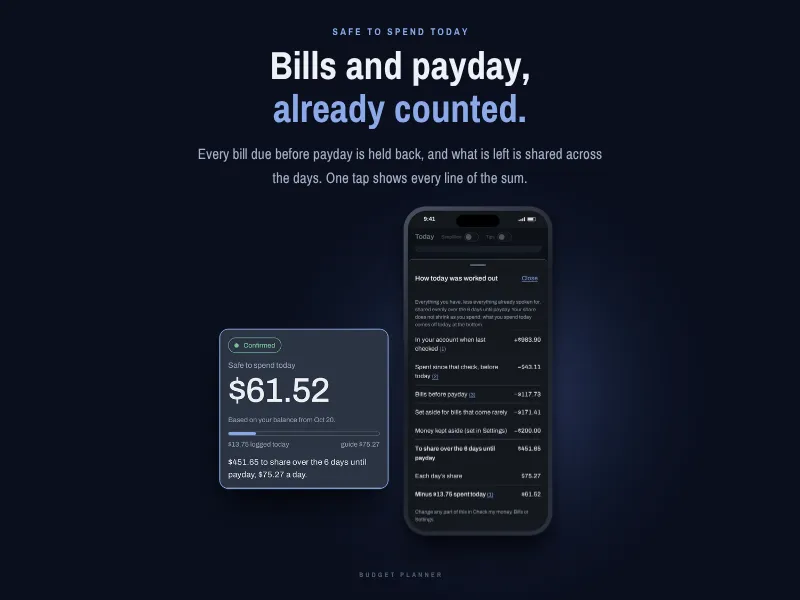
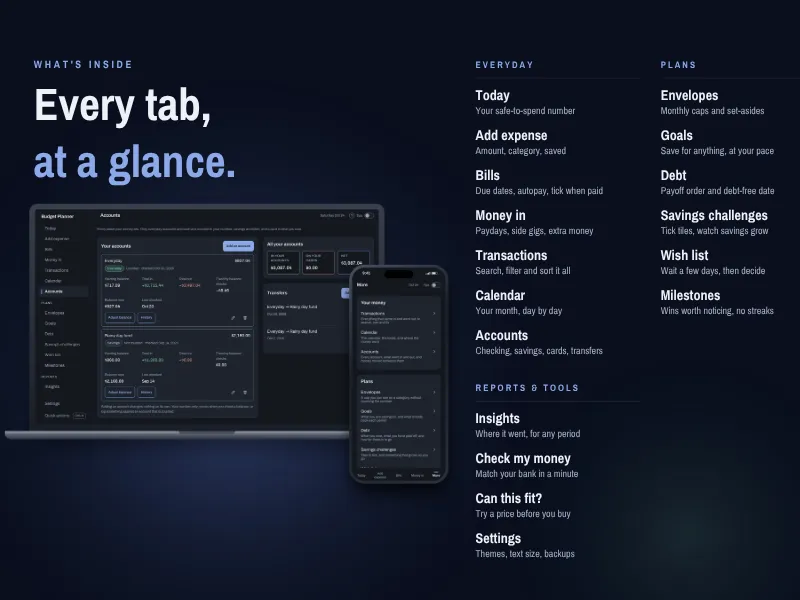
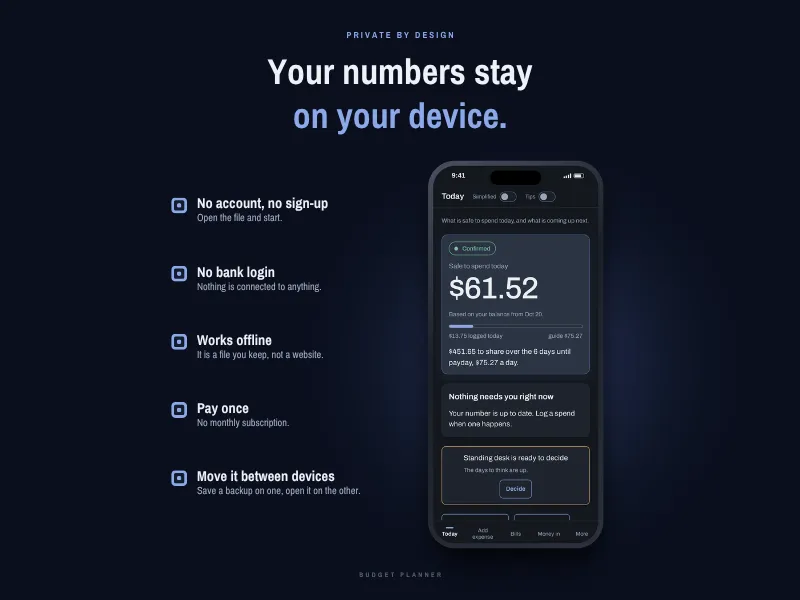
• Safe to spend today: your balance, minus the bills due before payday, shared across the days until your next pay
• See calculation: every line of the math, one tap away
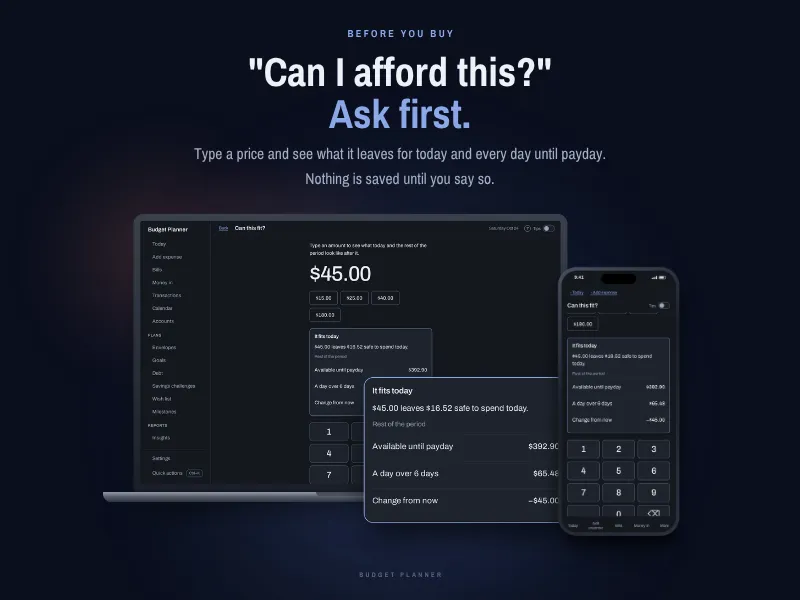
• Can this fit?: type a price before you buy and see what it leaves for today and for every day until payday. Nothing is saved
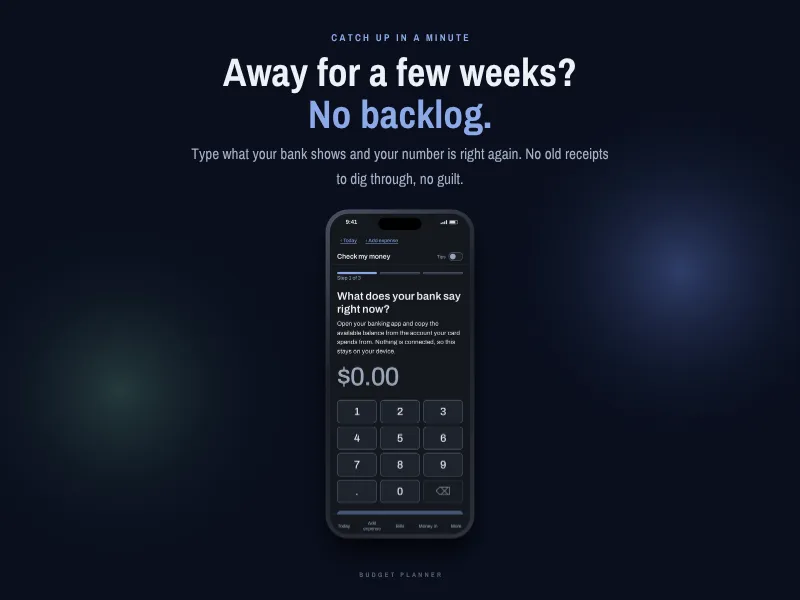
• Check my money: haven't opened it in a while? Type what your bank shows and your number is right again. No old receipts to catch up on
✏️ LOGGING A SPEND
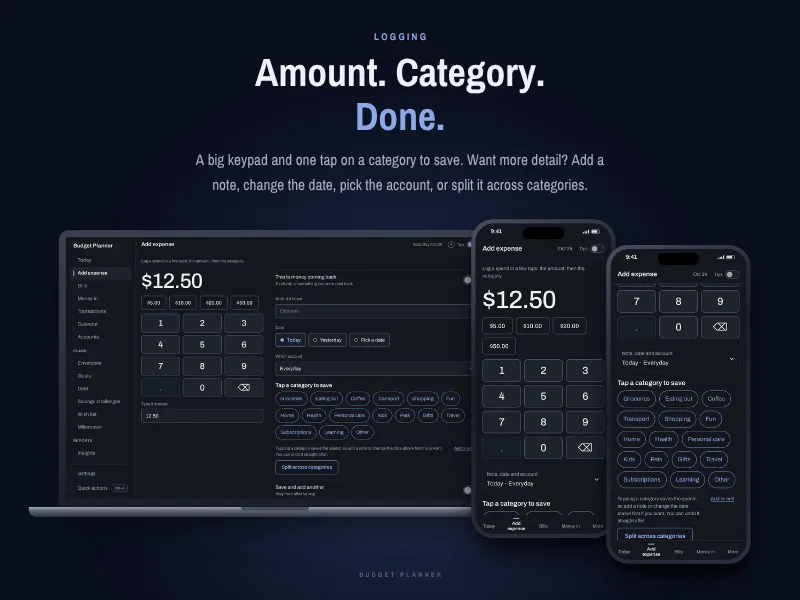
• A big keypad and quick amounts
• One tap on a category saves it
• Your usual coffee or bus fare as a single tap
• Optional details when you want them: a note, the date, the account, or splitting one purchase across categories
• Refunds and money paid back count the right way
• Undo right after saving, and a list of recent changes you can take back
🧾 BILLS
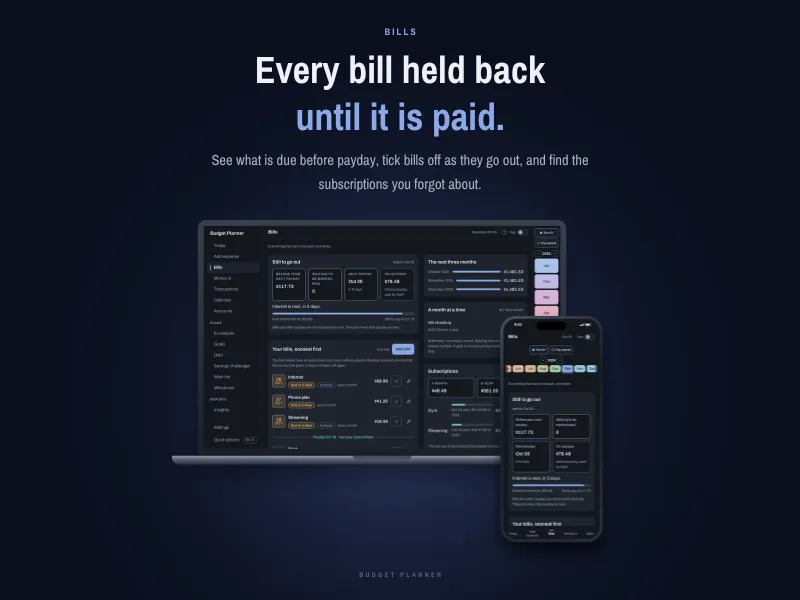
• Every bill in one list, soonest first
• Bills due before your next payday are held back from your number until you tick them paid
• Autopay bills mark themselves paid
• Weekly, every two weeks, monthly and one-off bills
• Bills that come rarely can be set aside a little at a time
• A subscriptions box that adds up what you pay each month and each year
• The next three months at a glance
💰 MONEY IN
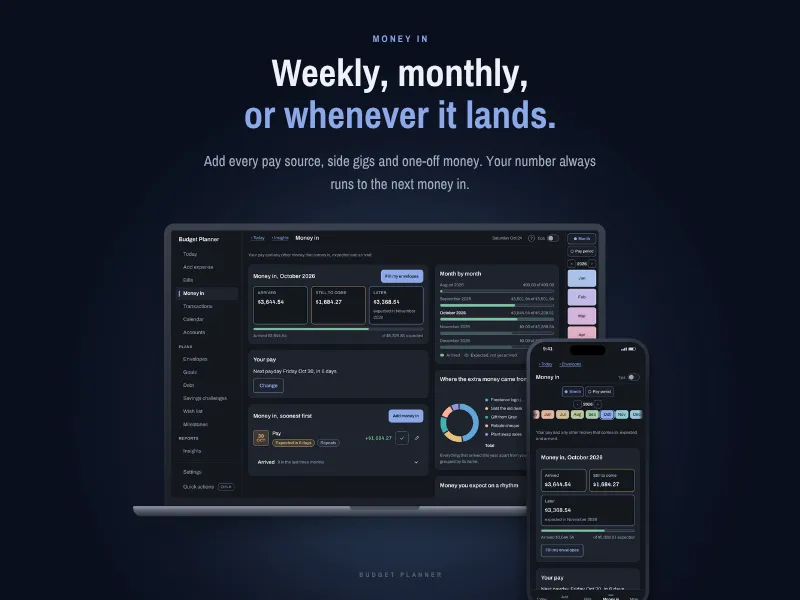
• Add every pay source: weekly, every two weeks, twice a month, monthly or irregular
• Side gigs and one-off money
• Your number always counts to the next money that arrives
📅 CALENDAR AND TRANSACTIONS
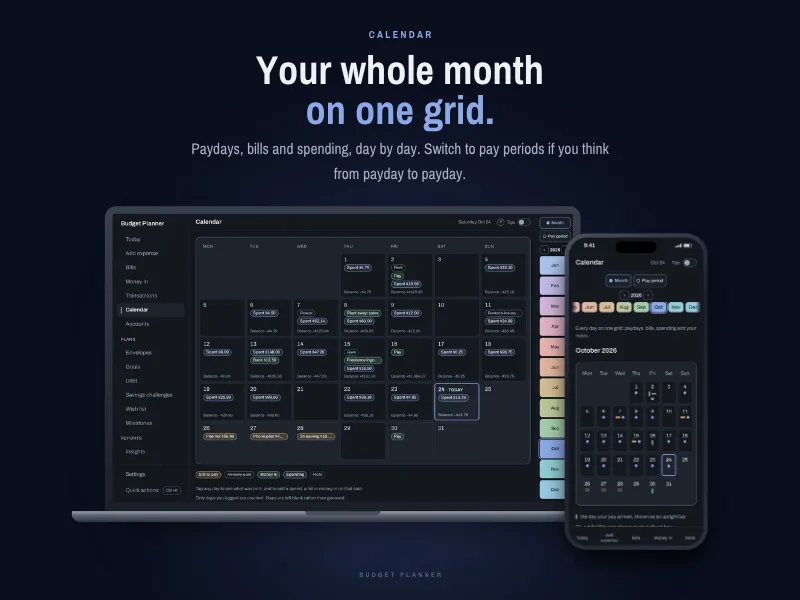
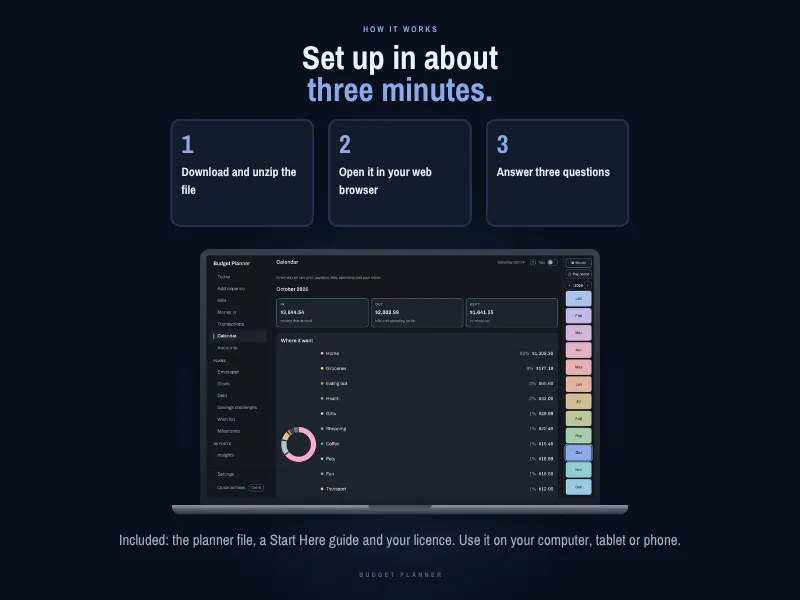
• Your month on one grid: paydays, bills and spending, day by day
• View by month or by pay period
• Totals for money in, money out and what you kept
• Every transaction in one list you can search, filter and sort, with the account each one used
🏦 ACCOUNTS
• Checking, savings, cash and credit cards
• Transfers between accounts
• Only the accounts you choose count toward your number
🎯 GOALS, ENVELOPES AND DEBT
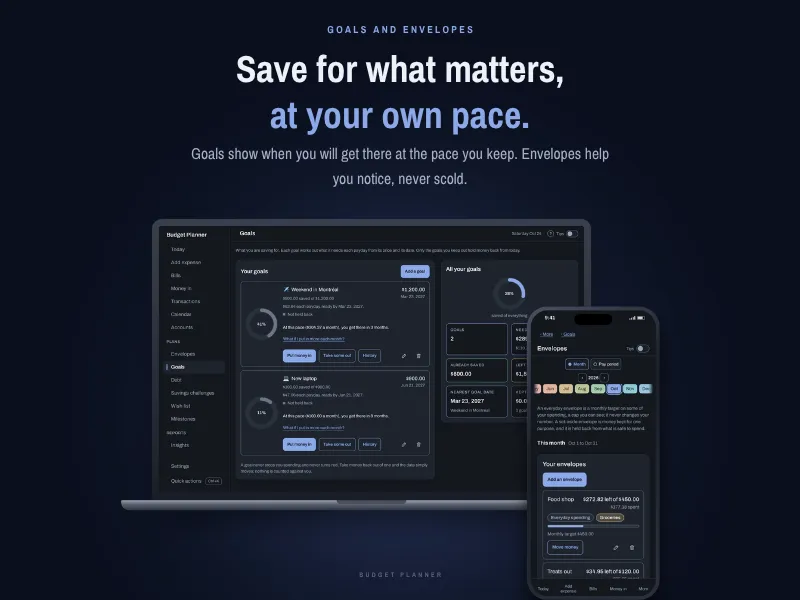
• Savings goals that show when you'll get there at the pace you keep
• Envelopes for spending limits by category. They help you notice and never scold
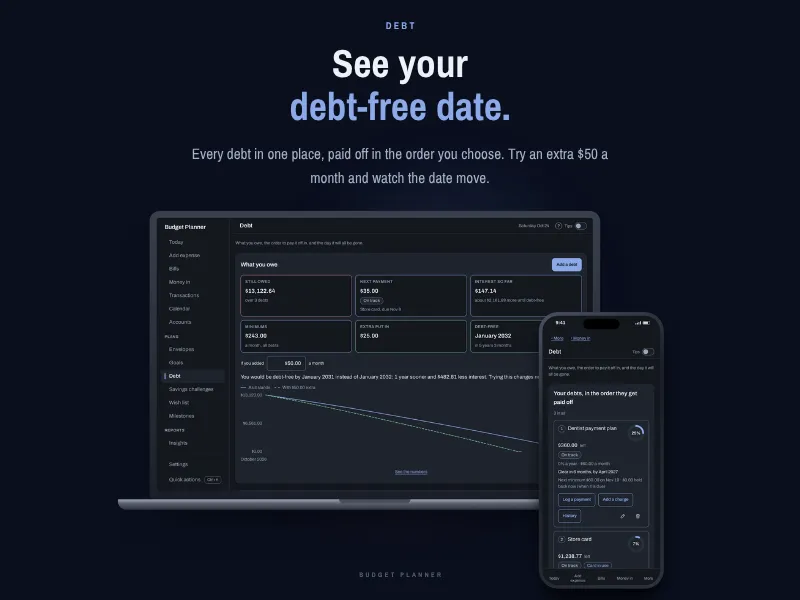
• Debt tracker with your payoff order and your debt-free date
• Try an extra amount each month and see how much sooner you could be done
• Log payments and see the history of each debt
🌱 SMALL WINS
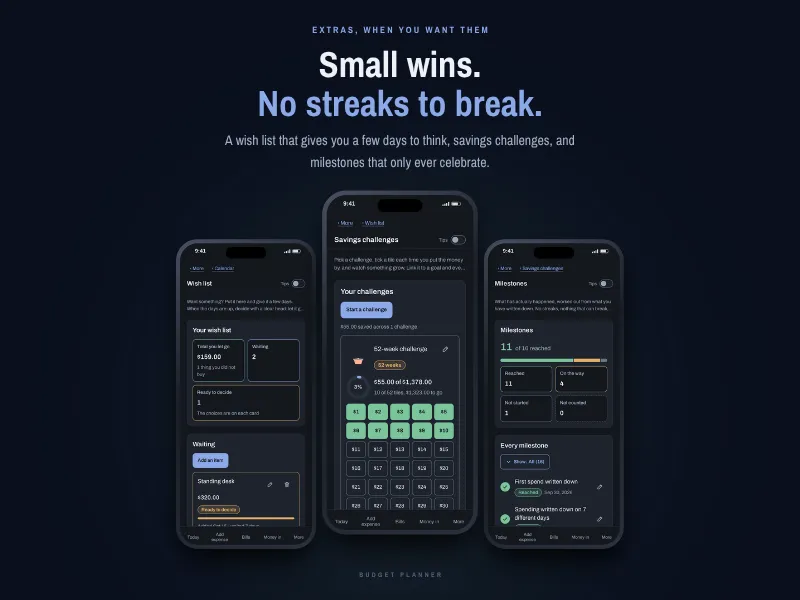
• Savings challenges, like the 52-week challenge, where you tick a tile each time
• A wish list that gives you a few days to think before you buy
• Milestones that only celebrate. No streaks to break
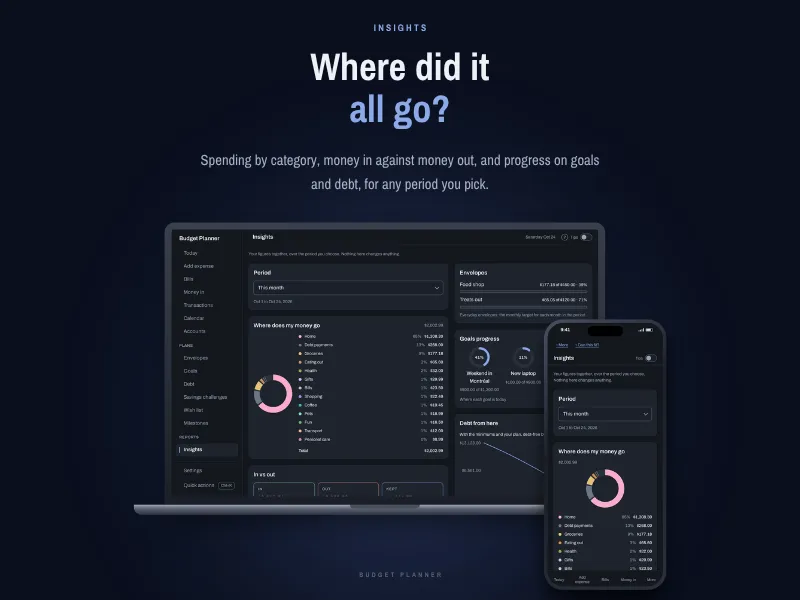
• Insights: where your money went by category, money in against money out, for any period
🧠 MADE FOR ADHD BRAINS
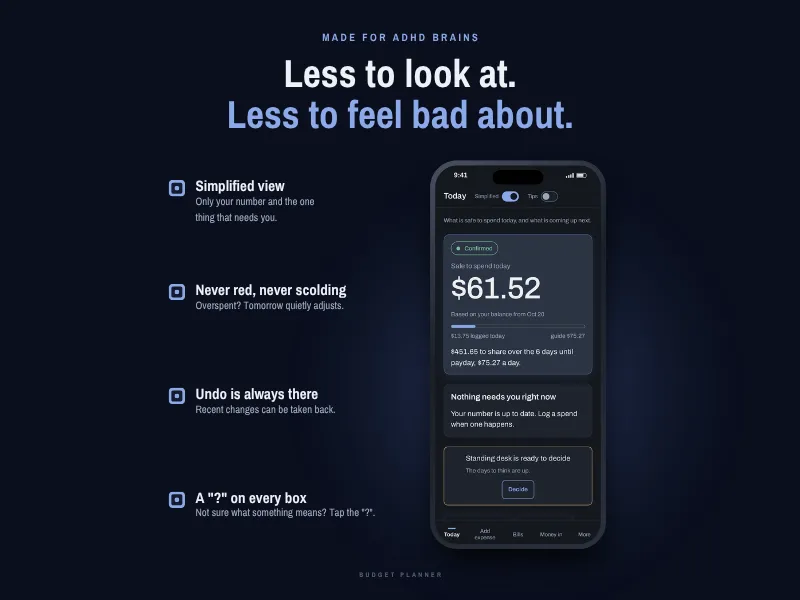
• Simplified view hides everything except your number and the one thing that needs you
• No red numbers and no guilt. Overspent? Tomorrow quietly adjusts
• A "?" on every box. Tap it for a short, plain explanation
• Tips you can turn on or off
• Ctrl+K (Cmd+K on a Mac) to jump anywhere on a computer
🎨 MAKE IT YOURS
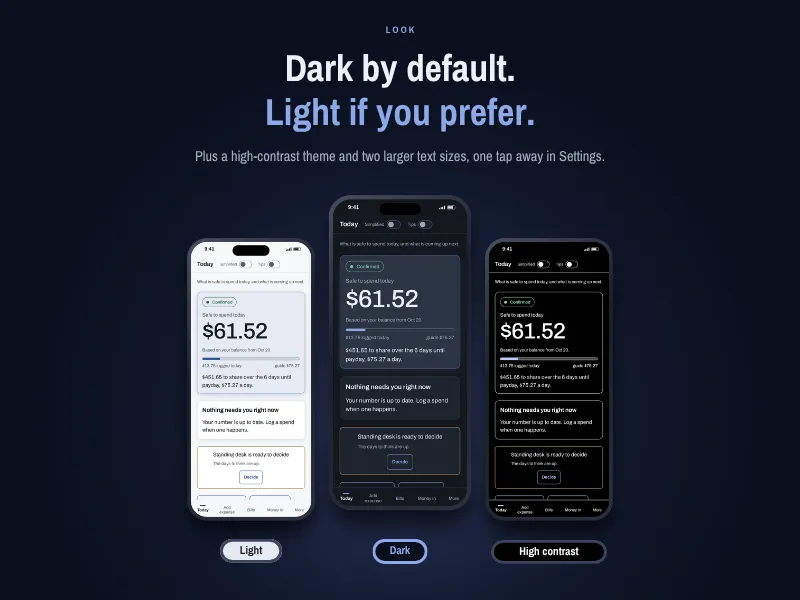
• Dark mode by default, plus light mode and a high contrast theme
• Three text sizes
• Rename your categories and choose their colors
• Your currency
🔒 PRIVATE BY DESIGN
• No account and no password
• No bank login. Nothing is connected to anything
• Your numbers stay on your device
• Save a backup file whenever you like, and the planner reminds you
• Move your numbers to another device with a backup file
• Export your spending as an Excel spreadsheet or a CSV file
• Pay once. No monthly subscription
📦 WHAT YOU GET
A zip file with:
• The Budget Planner (one file that opens in your browser)
• A Start Here guide
• Your licence
🖥️ HOW TO START
- Download and unzip the file
- Save it somewhere you'll find it again, like your Documents folder
- Open it in Chrome, Edge, Safari or Firefox
- Answer three short questions and see your number
Works on Windows and Mac computers. On a phone or tablet, you get a private link: open it in Safari or Chrome and add it to your Home Screen, and it works like an app, even offline.
⚠️ GOOD TO KNOW
• This is a digital download. No physical item will be shipped
• Your planner is saved in the browser that opens it. Use the same file in the same browser each time
• Each device keeps its own numbers. The planner does not sync between devices automatically. A backup file carries your numbers from one device to another
• Clearing your browser data can erase your numbers. Save a backup regularly
• Private or incognito windows don't keep anything. Use a normal window
• Screenshots show example numbers
• Prices are in your currency. The planner itself does not process any payment
📜 LICENCE
• For personal use only
• Please don't share, resell or give the file to anyone outside your household
• Not for commercial use, including with clients
❗ DISCLAIMER
This planner is an organizing tool. It does arithmetic on the numbers you enter. It is not financial, tax, legal or investment advice. Please check important decisions against your real bank and card statements.
Because this is a digital file, I can't accept returns or exchanges. Try the free demo first to make sure it's right for you. If anything doesn't work as described, send an email to info@roxannebeaumont.com.
Only logged in customers who have purchased this product may leave a review.
Reviews
There are no reviews yet.