Teacher Planner — App
Original price was: 34.00$.17.00$Current price is: 17.00$.
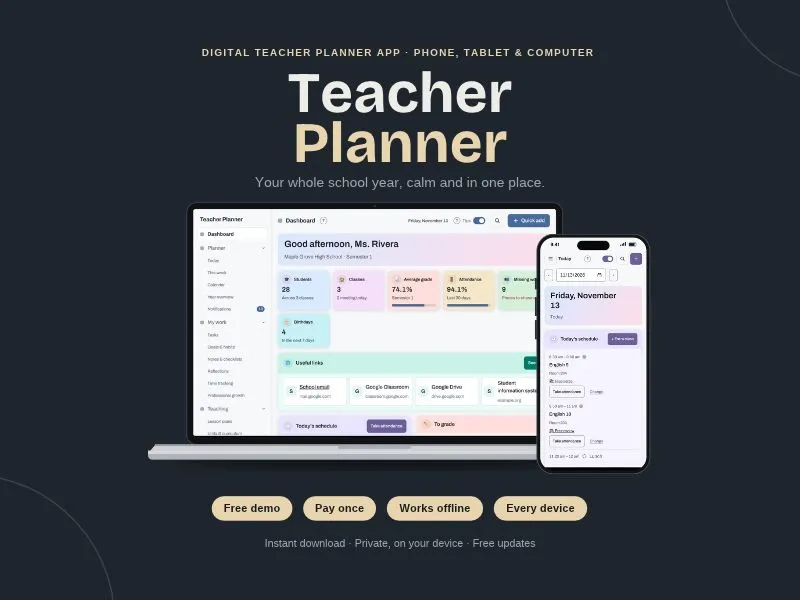
An all-in-one organization app for teachers that you can use on your computer, tablet, and phone. No subscription, no login required.
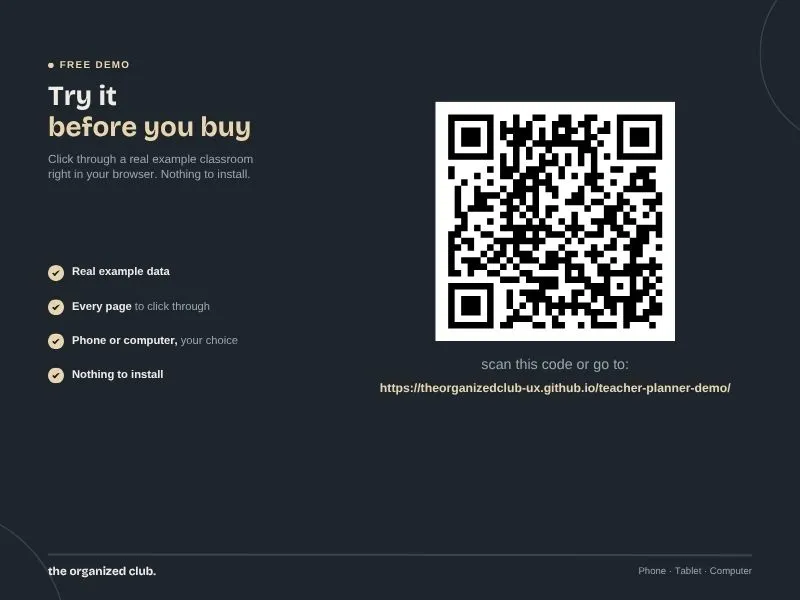
🎁 TRY IT FREE BEFORE YOU BUY
Open the free demo in your browser and click around a full example classroom: https://theorganizedclub-ux.github.io/teacher-planner-demo/
The demo is the real planner with example classes, students, grades and lesson plans. Change anything you like and add up to 40 new things. It stays in that browser only, so it's for trying, not for planning your real school year. That part is the full version.
📌 WHAT THIS IS
A teacher planner you open in your web browser, on your computer, tablet or phone. You get a private link that opens it like an app. No app store, no sign-up, no internet needed once it's on your device.
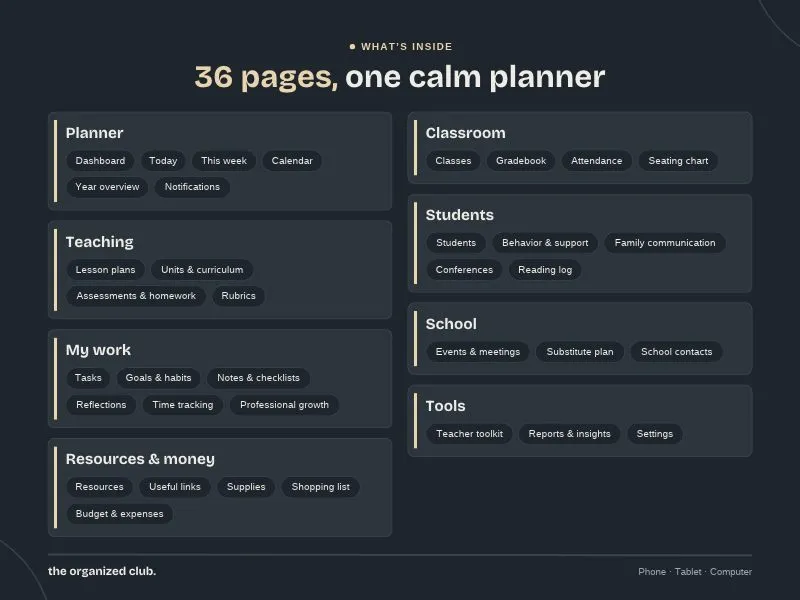
36 pages in one place, from today's schedule to your gradebook, sub plans and classroom budget. In English and French: choose your language on the first screen.
☀️ TODAY AND THIS WEEK
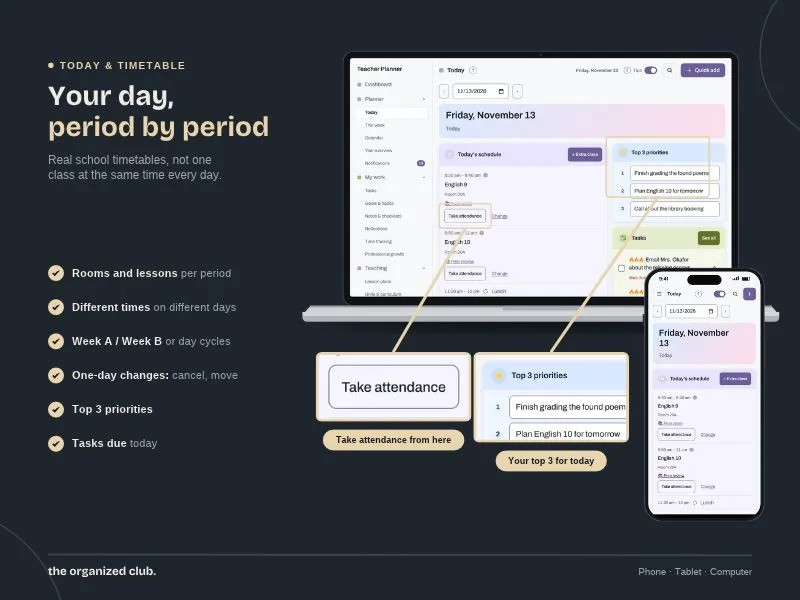
• Today: each class with its lesson plan, attendance in one tap, your top 3 priorities, tasks, prep list and notes
• An end-of-day reflection
• This week: your lesson plan book, one column per day, ready to print
• Copy last week's lessons forward in one click
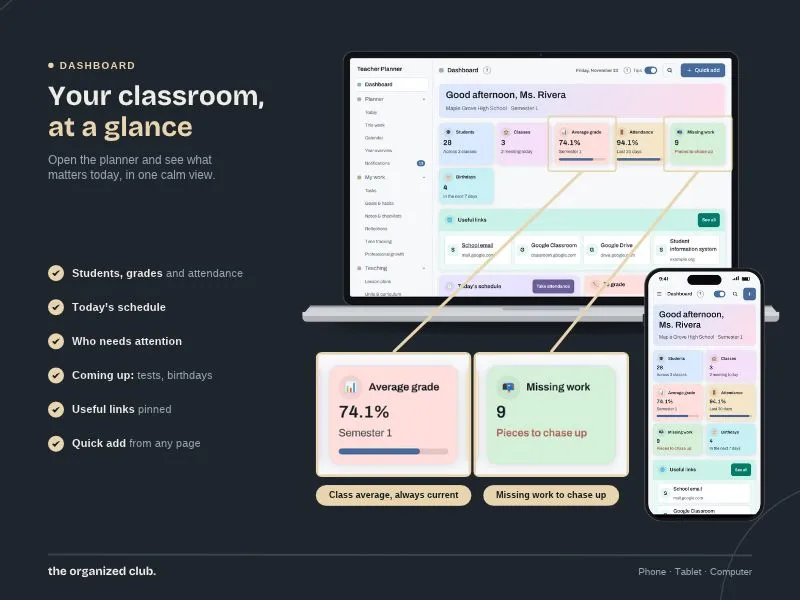
• A Dashboard with averages, attendance, missing work, birthdays and the students who need attention
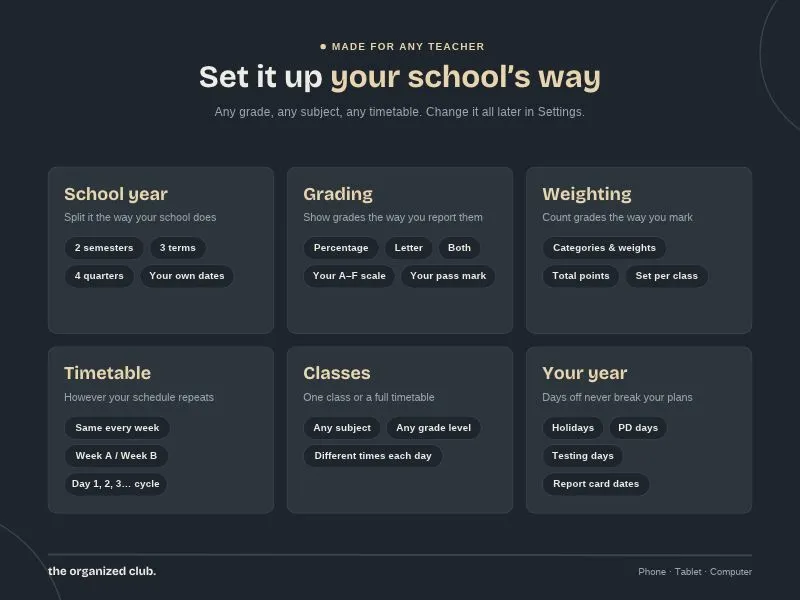
🕐 A TIMETABLE THAT FITS YOUR SCHOOL
• Each class can meet at different times and in different rooms on different days
• The same every week, Week A and Week B, or a cycle of numbered days (Day 1 to Day 6, for example). Holidays don't break the cycle
• Change one day only: a cancelled class, a new time or room, an extra class
• Planning periods, duties and lunch in your daily schedule
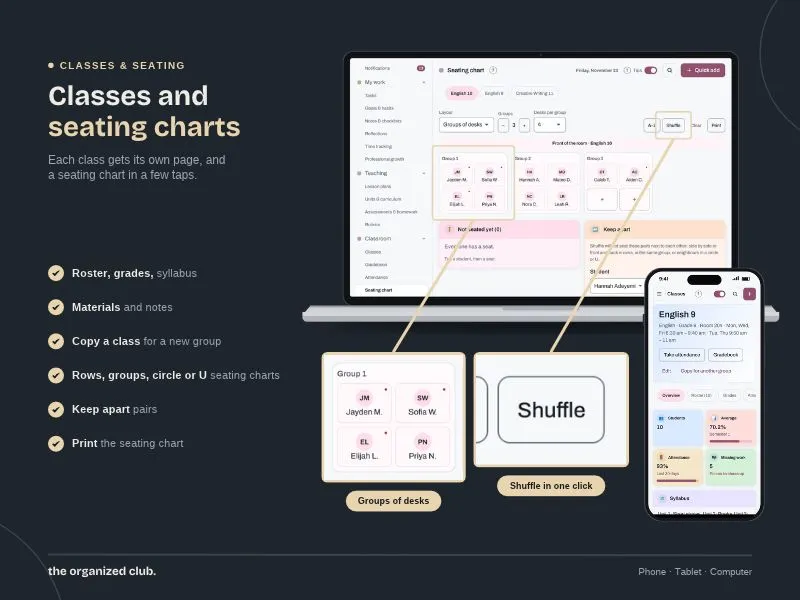
• Copy a class for another group in one step
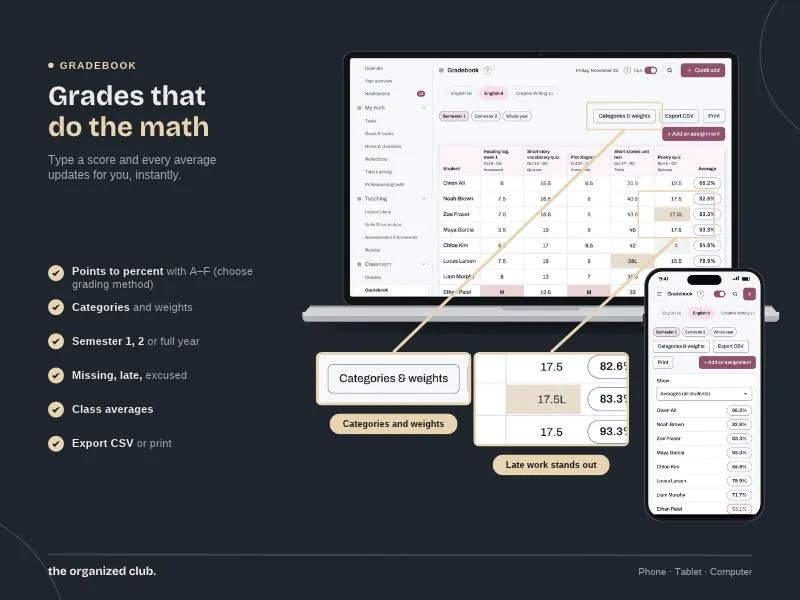
📊 GRADEBOOK
• Type a score in a cell, then Enter for the next student
• M for missing, X for excused, E for exempt, and L for late work
• Weighted categories, or simply add up points
• Show grades as percentages, letters or both, with your own letter scale and pass mark
• Click any average to see exactly how it is worked out
• Class average, grade distribution and missing work
• Export to CSV or print
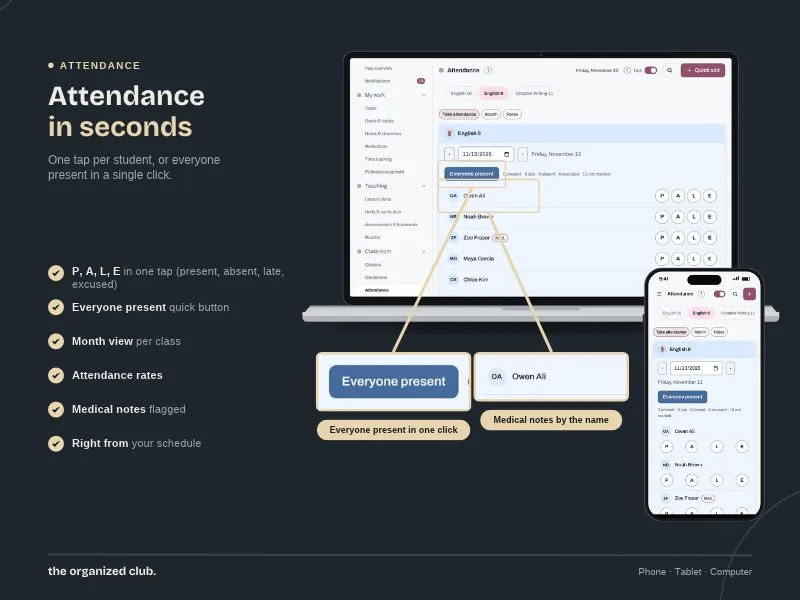
🚪 ATTENDANCE
• Present, late, absent or excused with one tap
• "Everyone else present" for the rest of the class
• A month view and attendance rates for each term
• Students with several absences in two weeks are flagged for a check-in
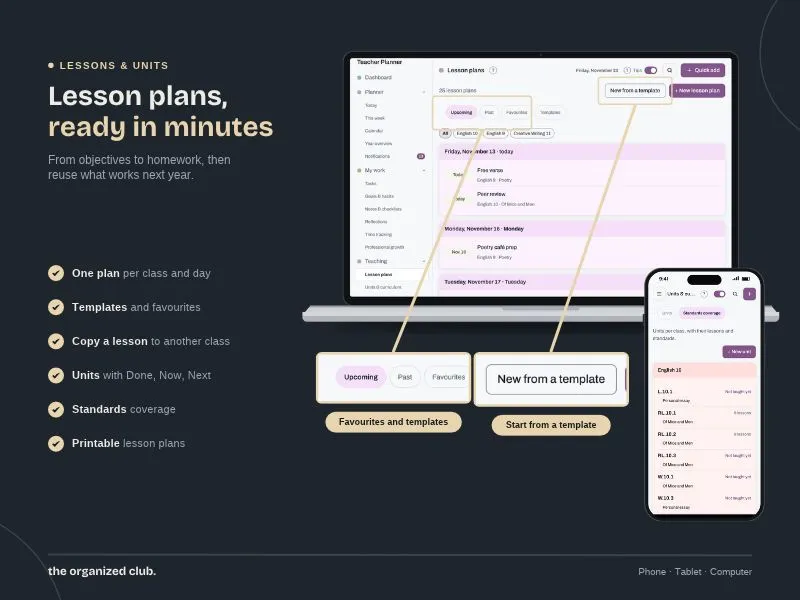
📚 LESSON PLANS AND UNITS
• Lesson plans with objectives, standards, materials, warm-up, instruction, practice, closure, differentiation, checks for understanding, homework and reflection
• Duplicate a plan to the next class meeting or copy it to another class
• Favorites and your own templates
• Unit planner with big ideas, essential questions, learning goals, standards and assessment
• Standards coverage shows what you have taught and what is still to come
• Print your plans
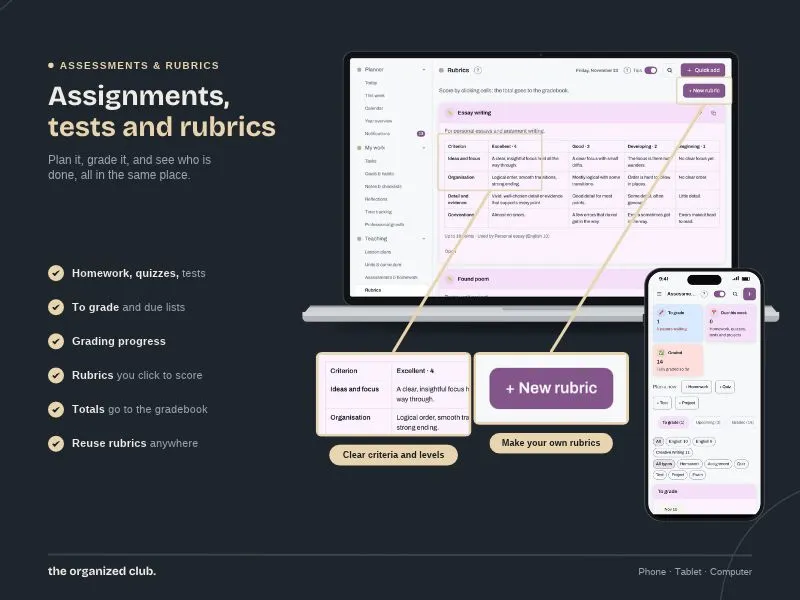
📝 ASSESSMENTS AND RUBRICS
• Homework, quizzes, tests and projects in one list, with how much is graded
• Formative or summative
• Reteach notes on any assignment
• Reusable rubrics: click a level for each criterion and the total goes to the gradebook
🎓 STUDENTS
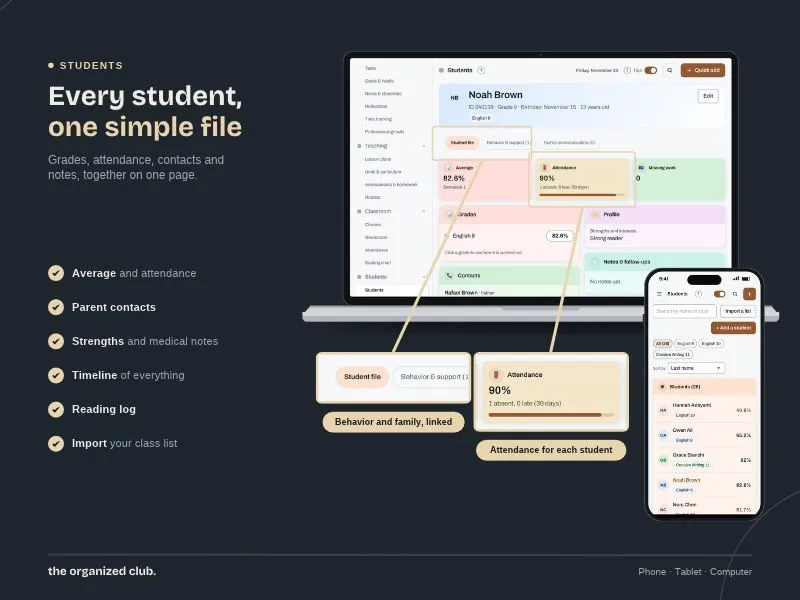
• Every student on one page: parents or guardians, emergency contact, strengths, needs, accommodations, allergies and medical notes
• Grades in each class and a timeline of what happened
• Import your class list from a CSV file or paste it from a spreadsheet
• Birthdays on the Dashboard
🪑 SEATING AND BEHAVIOR
• Seating chart by rows and columns: tap or drag students to seats
• Seat A to Z, or shuffle and keep apart the pairs you name
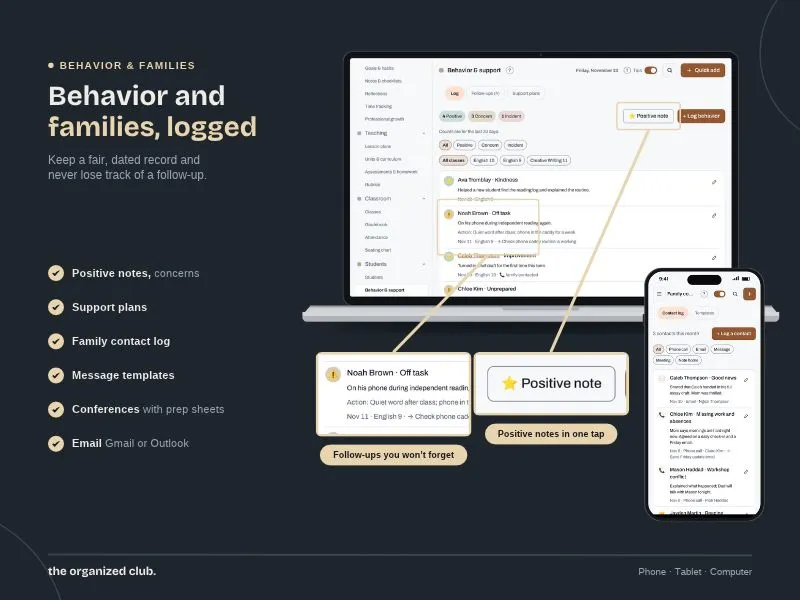
• Log positive notes, concerns and incidents, with the action taken and a follow-up
• Support plans with goals, strategies and a review date
📞 FAMILIES AND CONFERENCES
• Every call, email, message and meeting with families in one log
• Message templates that fill in the student, guardian and class, then open in Gmail, Outlook or your email app
• Conference prep sheet: grades, attendance, missing work and behavior on one printable page
📖 READING LOG
• What each student is reading and has finished
• Your class library
🏫 SCHOOL
• Events and meetings with agendas, notes and action items
• Permission slips tracked class by class
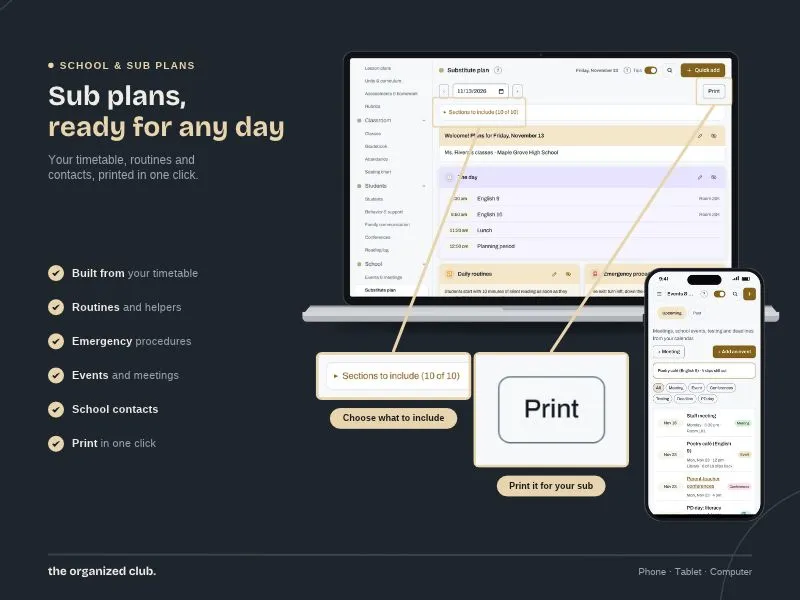
• Sub plan: pick the day you're away and it gathers the schedule, lesson plans, class lists, seating charts and students to know about. Write your routines once, then print
• School contacts with phone, extension and email
📅 CALENDAR AND SCHOOL YEAR
• Your school year in 2 semesters, 3 terms or 4 quarters, or your own
• Holidays, PD days, testing windows and key dates on a year overview
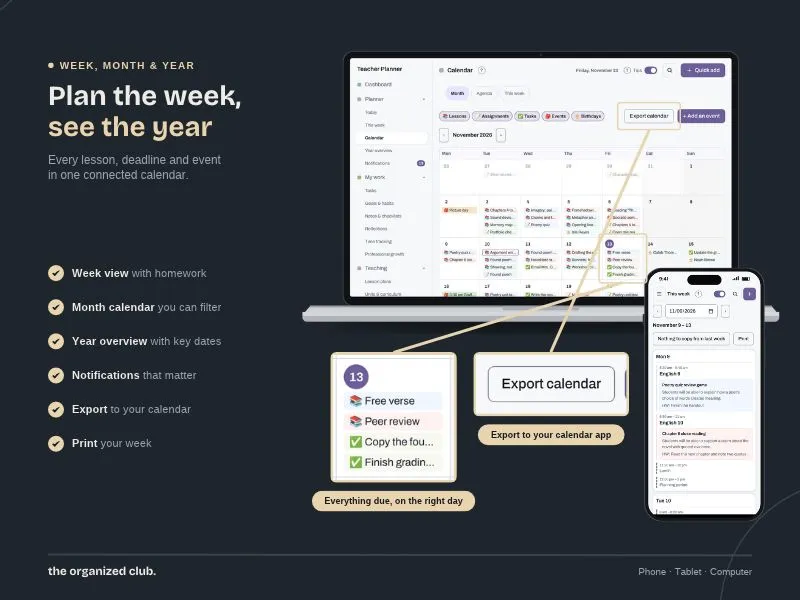
• Month and agenda calendar with lessons, assignments, tasks, events and birthdays
• Export to Google Calendar, Apple Calendar or Outlook
• Notifications for overdue tasks, work to grade, lessons not planned yet, missing work and birthdays
✅ YOUR OWN WORK
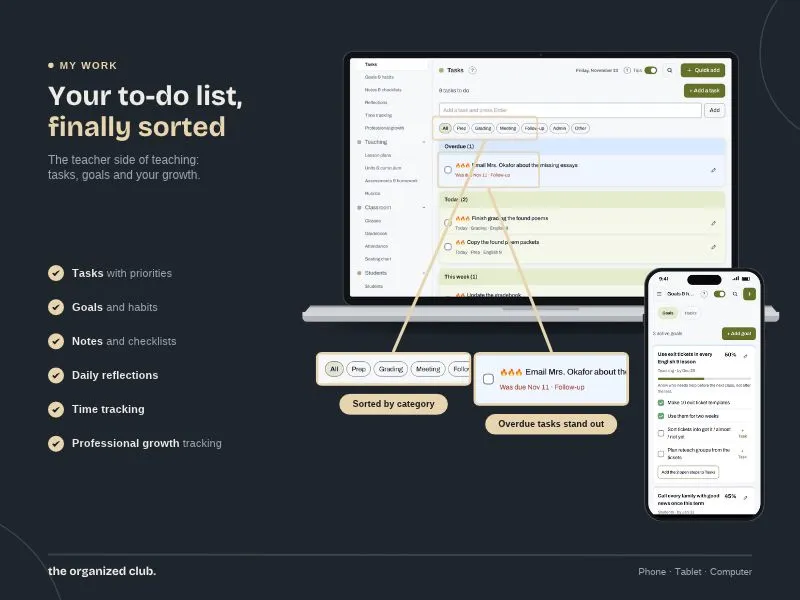
• Tasks with priorities and due dates that can repeat every school day, every week or on the days you choose
• Teaching goals with steps, and habits with a little plant that grows
• Notes and reusable checklists
• Reflections with a trend over 30 days
• Time tracking with a timer, against your contract hours
• Professional growth: workshops, courses, hours and certificates, exported as a spreadsheet
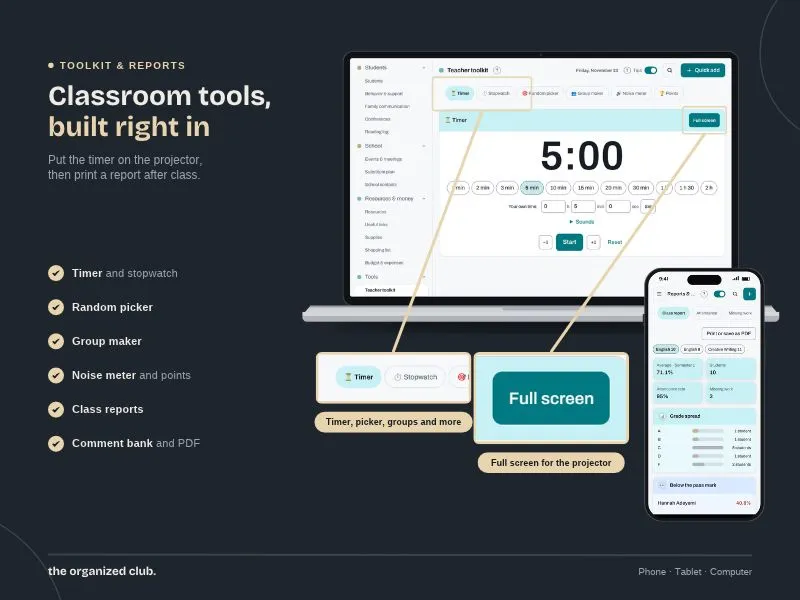
🧰 CLASSROOM TOOLKIT
• Timer and stopwatch with gentle sounds
• Random name picker and group maker
• Noise meter and a points tracker
• Full screen for the projector
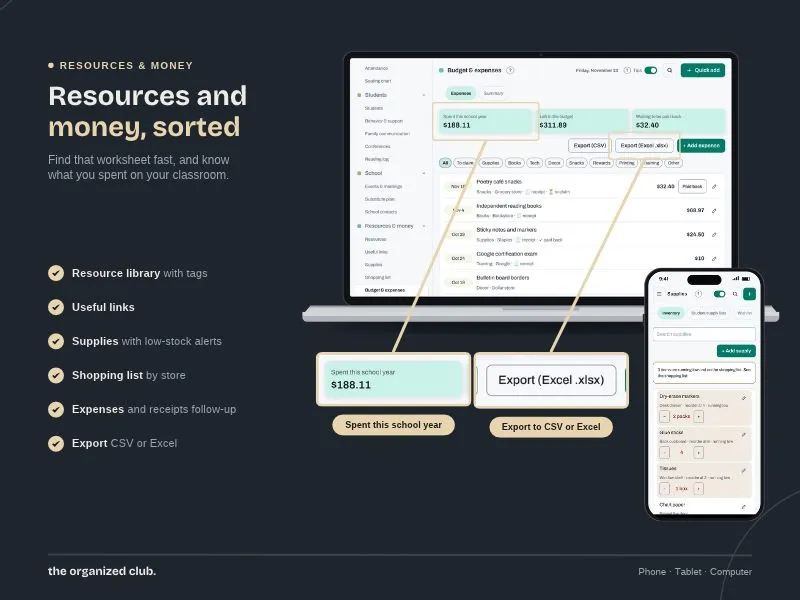
💰 RESOURCES AND MONEY
• Websites, videos, worksheets and slides, tagged and linked to a class or unit
• Useful links to your school sites, pinned to the Dashboard. The planner never stores passwords
• Supplies inventory: low items add themselves to the shopping list
• Supply lists by class, printable for families
• Classroom budget: what you spend, receipts kept, money the school pays back, and an Excel or CSV export
📈 REPORTS
• Class report, attendance by week and missing work, ready to print or save as PDF
• A report card comment bank: pick a student, tap comments and copy the result
🧠 EASY TO USE
• Quick add from any page
• Search everything with Ctrl+K (Cmd+K on a Mac)
• A "?" on every box. Tap it for a short, plain explanation
• Tips you can turn on or off
• Undo right after you delete or clear something
• Start with an example classroom, then clear the sample data in one click
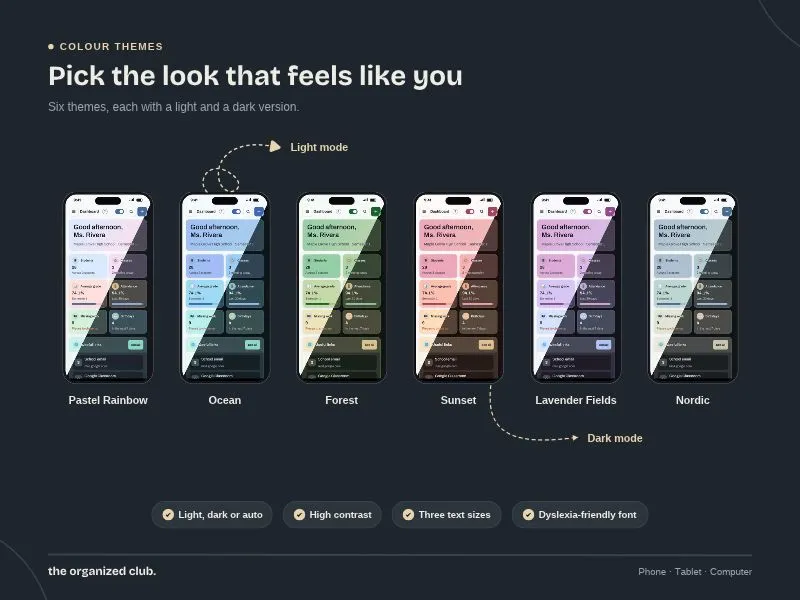
🎨 MAKE IT YOURS
• 6 color themes: Pastel Rainbow, Ocean, Forest, Sunset, Lavender Fields and Nordic
• Light mode, dark mode, match my device, or high contrast
• A dyslexia-friendly font and three text sizes
• Your currency, date style and 12 or 24 hour clock
• English or French
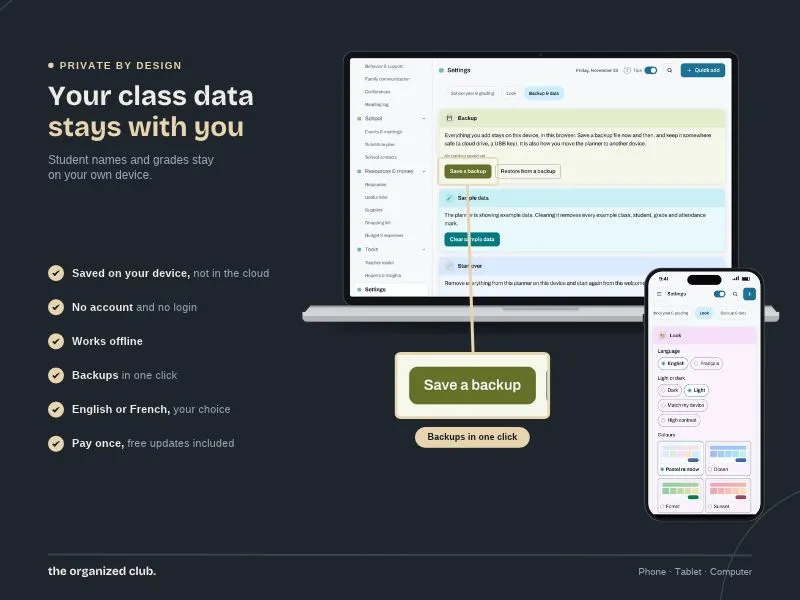
🔒 PRIVATE BY DESIGN
• No account and no password
• Nothing is sent anywhere. Your students' information stays on your device
• Save a backup file whenever you like, and the planner reminds you
• Move your planner to another device with a backup file
• Pay once. No monthly subscription
📦 WHAT YOU GET
An instant download zip file with:
• A Start Here guide with your private link to the Teacher Planner (in English and French)
• The planner as an offline file for a computer, if you'd like one
• Your licence
🖥️ HOW TO START
Download and unzip the file, then open Start Here
Open your private link in Chrome, Edge, Safari or Firefox
Install it as an app: on a computer from the address bar, on a phone or tablet with Add to Home Screen. It works like an app, even offline
Answer a few short questions about your school year and grading, and add your classes
Works on Windows and Mac computers, iPhone, iPad and Android.
⚠️ GOOD TO KNOW
• This is a digital download. No physical item will be shipped
• Updates are free and arrive by themselves on your private link
• Your planner is saved in the browser that opens it. Use the same browser each time
• Each device keeps its own planner. It does not sync between devices automatically. A backup file carries your planner from one device to another
• Clearing your browser data can erase your planner. Save a backup regularly
• Private or incognito windows don't keep anything. Use a normal window
• The planner does not connect to your school's systems. Import your class list from a CSV file
• Screenshots show example data
📜 LICENCE
• For one teacher's own use
• Please don't share the link or file with colleagues, your department or your school. Each teacher needs their own copy. Buying for several teachers? Send me a message
• You may print, export and share what you make with it (plans, reports, calendars) with your school, students and families
❗ DISCLAIMER
This planner is an organizing tool. It keeps the grades, marks and notes you enter and does arithmetic on them. It does not replace your school's official systems for grades, attendance, report cards or student records. Please follow your school's privacy rules and check important records against the official ones.
Because this is a digital file, I can't accept returns or exchanges. Try the free demo first to make sure it's right for you. If anything doesn't work as described, send me a message at info@roxannebeaumont.com and I'll help.