No matter what you do in life, you're most likely using digital tools every day. It's an endless environment where it's easy to get lost. Organization becomes genuinely important because of that, but it's also easy to get lost trying to set up a system in the first place.
To help you take a first step toward better digital organization, here are 6 tools you should be using right now.
Google Calendar
Everyone has a schedule to manage. A paper planner is nice, but it has its limits. With Google Calendar, you have your schedule with you anywhere, anytime, you can get reminder notifications, and you can make changes very easily. I strongly recommend Google Calendar for managing your appointments and time blocks. Whether it's for chores, work, meal prep, or activities, we all have time blocks to plan for.
If you're already heavily invested in Notion, know that Notion Calendar exists too now and syncs with Google Calendar, if you want to keep your planning even more centralized.
Google Drive
To store your documents and access them anytime, from anywhere, Google Drive is really an excellent solution. Everything is kept in the cloud, so you can share documents with others and edit in real time, on top of the easy access I mentioned. A good structure in your Google Drive will definitely make your life easier.
Notion
I talk about it (too) often. It's my favorite tool, my sidekick, my second brain. Really, an extension of my brain. It's my assistant, a centralized system that runs my entire personal and professional life. Notion lets you manage your tasks, your projects, build databases, take notes, and much more. Plus, all in one place, so no headaches. I couldn't live without it anymore.
If you want to learn more about this tool, I invite you to read the following articles:
- Notion: My Essential Productivity Tool
- How to Use Notion?
- 5 Tools You Can Use With Notion
- What You Can Organize in Notion as a Solopreneur
NordPass
Are you the type to click "Forgot password" way too often because you can't remember it, and you have way too many passwords to keep track of? I used to be like that.
Today, I use NordPass, and I recommend it strongly. It's a password manager known for its clean security track record (unlike some older competitors that have had security breaches) and its modern encryption. It easily stores all your passwords, with access on both your computer and your mobile devices. That means you can use different, highly complex passwords for every account, because you don't have to worry about remembering them. Everything is protected by a single master password, which you're the one who needs to remember. So it's great for the security of your information.
Leave Me Alone
Is your inbox overflowing and making your head spin? Have you signed up for way too many newsletters? We've all been there.
I now recommend Leave Me Alone rather than an older, well-known option (Unroll.me), which continues to scan and monetize its users' inbox data, even years after a widely publicized privacy scandal. Leave Me Alone works on a different model: you pay a small fee, and the company doesn't scan your inbox to extract commercial data from it. It clearly shows you all your newsletters and email subscriptions, and lets you unsubscribe with one click from the ones you no longer want.
Backblaze
Have you ever lost important files because of a broken, stolen, or simply outdated computer? It happens to everyone, and it always hurts.
Backblaze does one thing, but it does it very well: automatically and continuously backing up your entire computer's content to the cloud, without you having to think about it. Once installed, it runs in the background and protects your photos, documents, projects, and everything else, with no storage limit, for a flat rate of around $8 a month. Unlike Google Drive, it's not a sharing or collaboration tool: it's an insurance policy for everything on your computer. If your computer ever dies overnight, you can recover everything, even remotely.
Talk soon!
Frequently Asked Questions
Is LastPass still safe to use in 2026?
It's no longer the option recommended by most security experts, due to several security breaches, including a new one in June 2026. NordPass or Bitwarden are now more reliable choices with no history of major breaches.
Why not recommend Unroll.me anymore?
Because the service continues to scan and monetize the data contained in its users' emails, even after a settlement with the US FTC, and because it's been blocked in the European Union since 2018.
Do I really need a password manager?
Yes, if you want to use unique, complex passwords for each of your accounts, which is the baseline recommendation for digital security, without having to memorize them all yourself.
Should I use Google Calendar or Notion Calendar?
Both work well and sync with each other. The choice mostly comes down to whether you'd rather keep your planning inside the Google ecosystem or directly in Notion.
-
Sale!

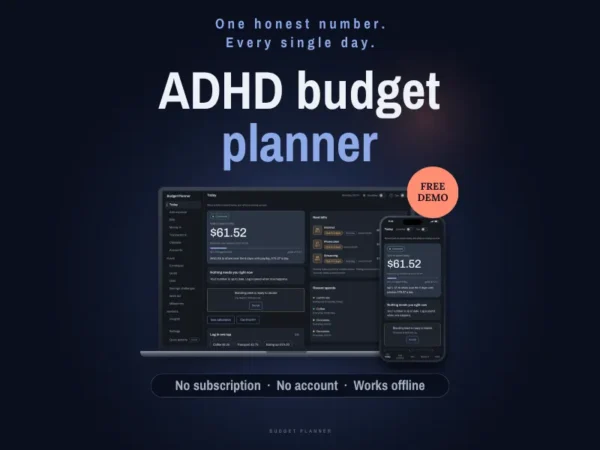
ADHD Budget Planner – App
Original price was: 30.00$.15.00$Current price is: 15.00$. -
Sale!
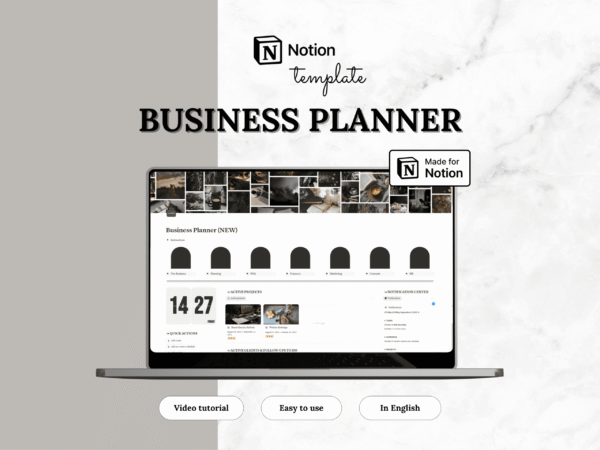
Notion template — Business planner
Original price was: 63.00$.31.50$Current price is: 31.50$. -
Sale!
Notion template — Career planner
Original price was: 16.00$.8.00$Current price is: 8.00$. -
Sale!
Notion template — Event planner
Original price was: 19.00$.9.50$Current price is: 9.50$. -
Sale!
Notion template — Fitness planner
Original price was: 19.00$.9.50$Current price is: 9.50$. -
Sale!
Notion template — GTD planner
Original price was: 20.00$.10.00$Current price is: 10.00$. -
Sale!
Notion template — Home management
Original price was: 19.00$.9.50$Current price is: 9.50$. -
Sale!
Notion template — Language learning
Original price was: 12.00$.6.00$Current price is: 6.00$. -
Sale!
Notion template — Life planner
Original price was: 47.00$.23.50$Current price is: 23.50$. -
Sale!
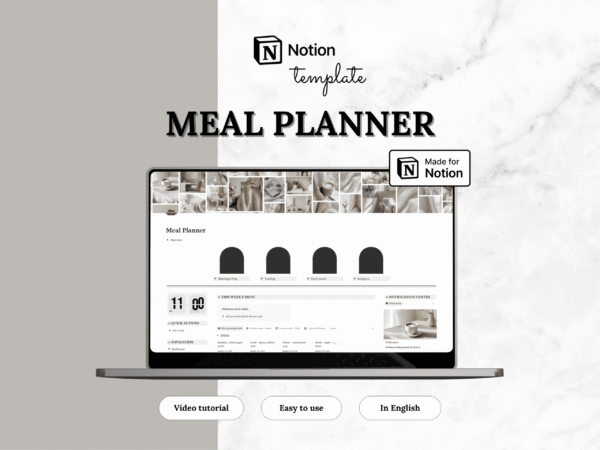
Notion template — Meal planner
Original price was: 12.00$.6.00$Current price is: 6.00$. -
Sale!
Notion template — Medical planner
Original price was: 10.00$.5.00$Current price is: 5.00$. -
Sale!
Notion template — Personal finance tracker
Original price was: 19.00$.9.50$Current price is: 9.50$.